Managing Messages
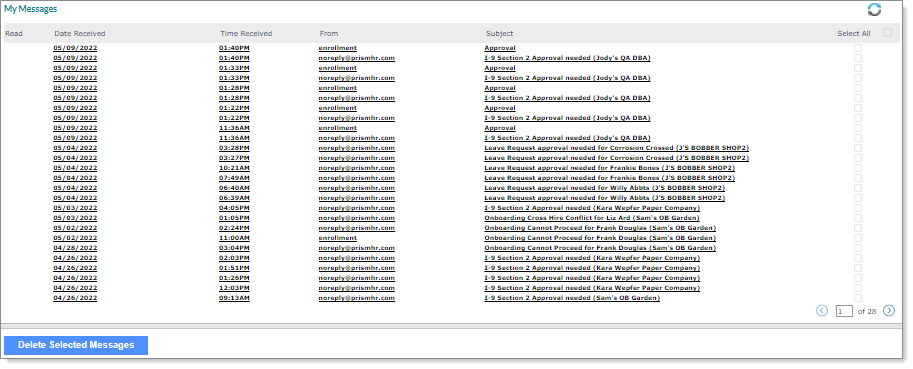
Manage messages with the Messages form, which displays messages sent through the system. For example:
|
To |
Do this |
|||||||||
|---|---|---|---|---|---|---|---|---|---|---|
|
Read a message |
Click Date Received, From, or Subject. The Message Review form displays. A check mark displays in the Read column for each message read. Messages display on this panel as follows:
Note: Pagination controls display for clients who have more than 26 messages. |
|||||||||
|
Change an item in the panel |
Click Refresh to update the display. |
|||||||||
|
Delete a message |
|
Access other message-related features using the Actions menu:
| • | Configuring New Messages |
| • | Maintaining Custom Message Groups |
Note: Not all forms are available to all users.